Should you buy an email list for cold email outreach in 2026?
Buying an email list can help you find new prospects, but how useful is it if the email addresses are outdated or the contacts don't match your target audience?
Before choosing a provider, consider a few things:
Do the contacts match your target audience?
Are the email addresses verified and up to date?
Does the provider offer refunds or replacements for invalid contacts?
Can you export the contacts and use them with your existing outreach tools?
I researched 9 B2B email list providers and compared their pricing, contact quality, verification methods, and refund policies.
Let's look at what each provider offers and which one is right for your outreach needs.
TL;DR: 9 Best Places to Buy Email Lists in 2026
Compare these nine providers to find the right platform for buying B2B email lists:
Leadsforge: Best for building targeted B2B email lists with AI search and waterfall enrichment, plus API, MCP, and CLI access.
Apollo.io: Best for finding B2B contact data, exporting prospect lists, and running cold email campaigns.
ZoomInfo: Best for building enterprise contact lists with company details, direct phone numbers, and buyer intent data.
Lusha: Best for finding business emails and phone numbers through LinkedIn prospecting.
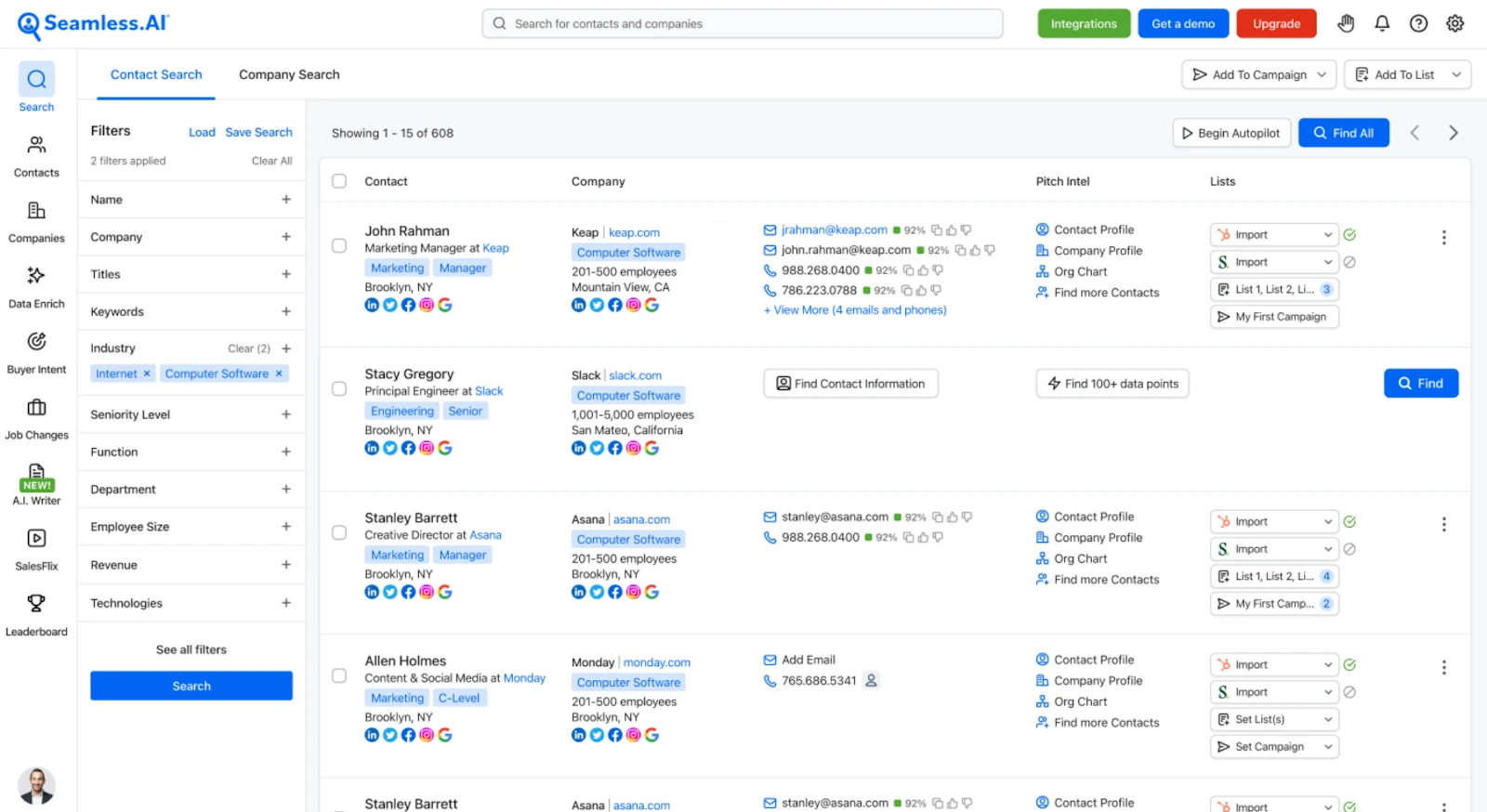
Seamless.AI: Best for building B2B prospect lists with real-time contact search and credit refunds for invalid emails.
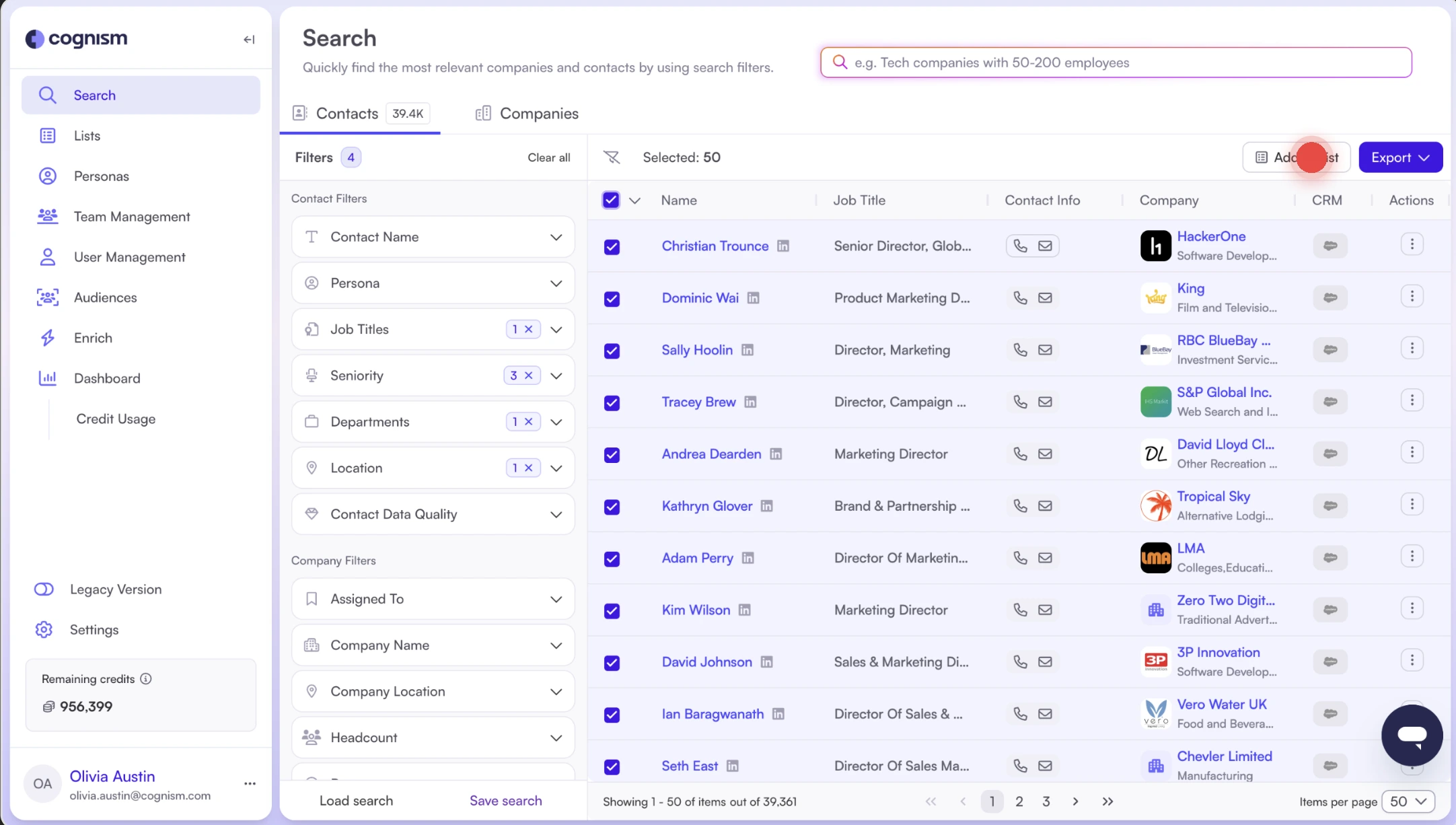
Cognism: Best for sourcing B2B email addresses and phone-verified mobile numbers in the UK and Europe.
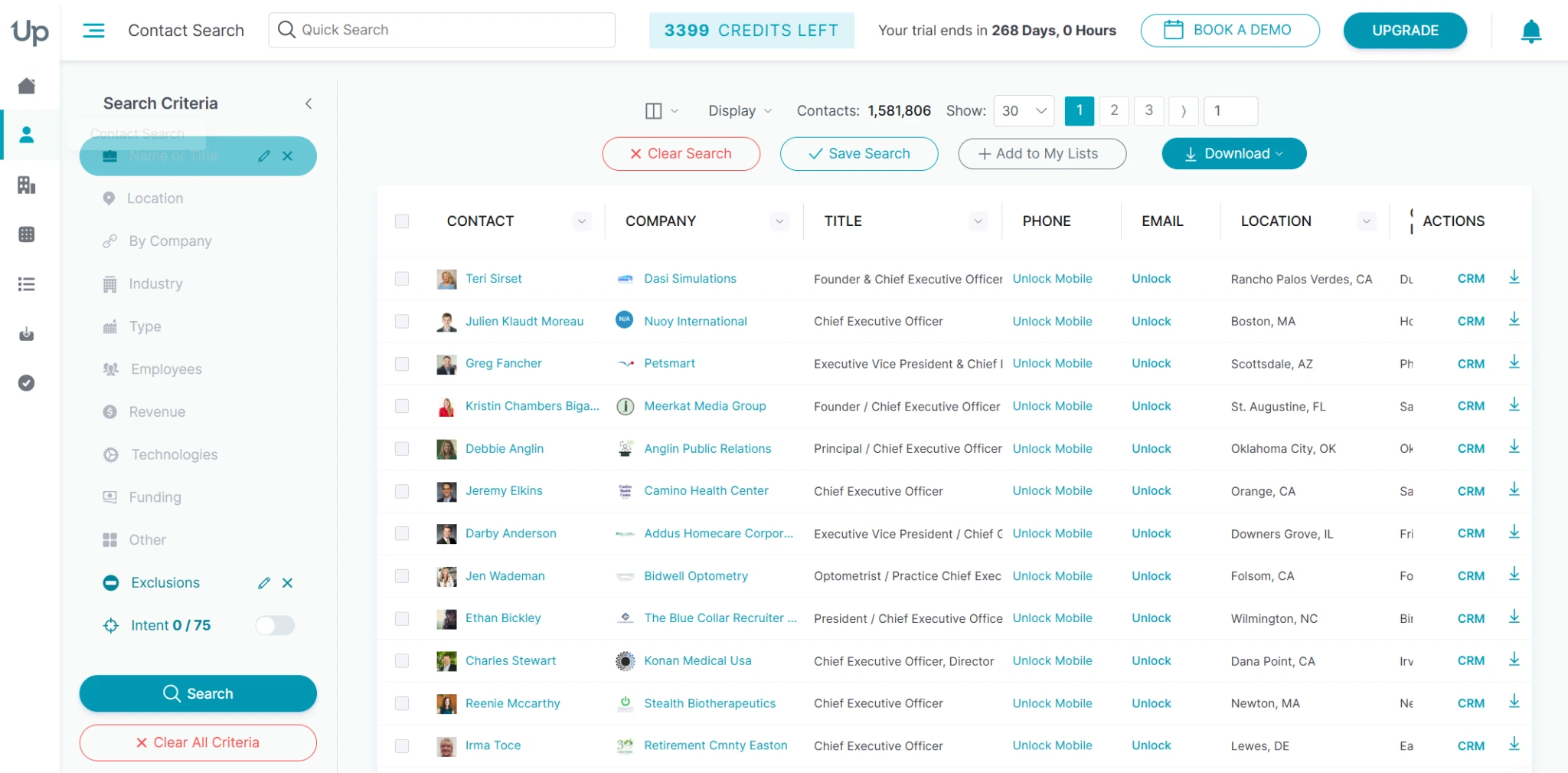
UpLead: Best for buying targeted B2B contacts with real-time email verification.
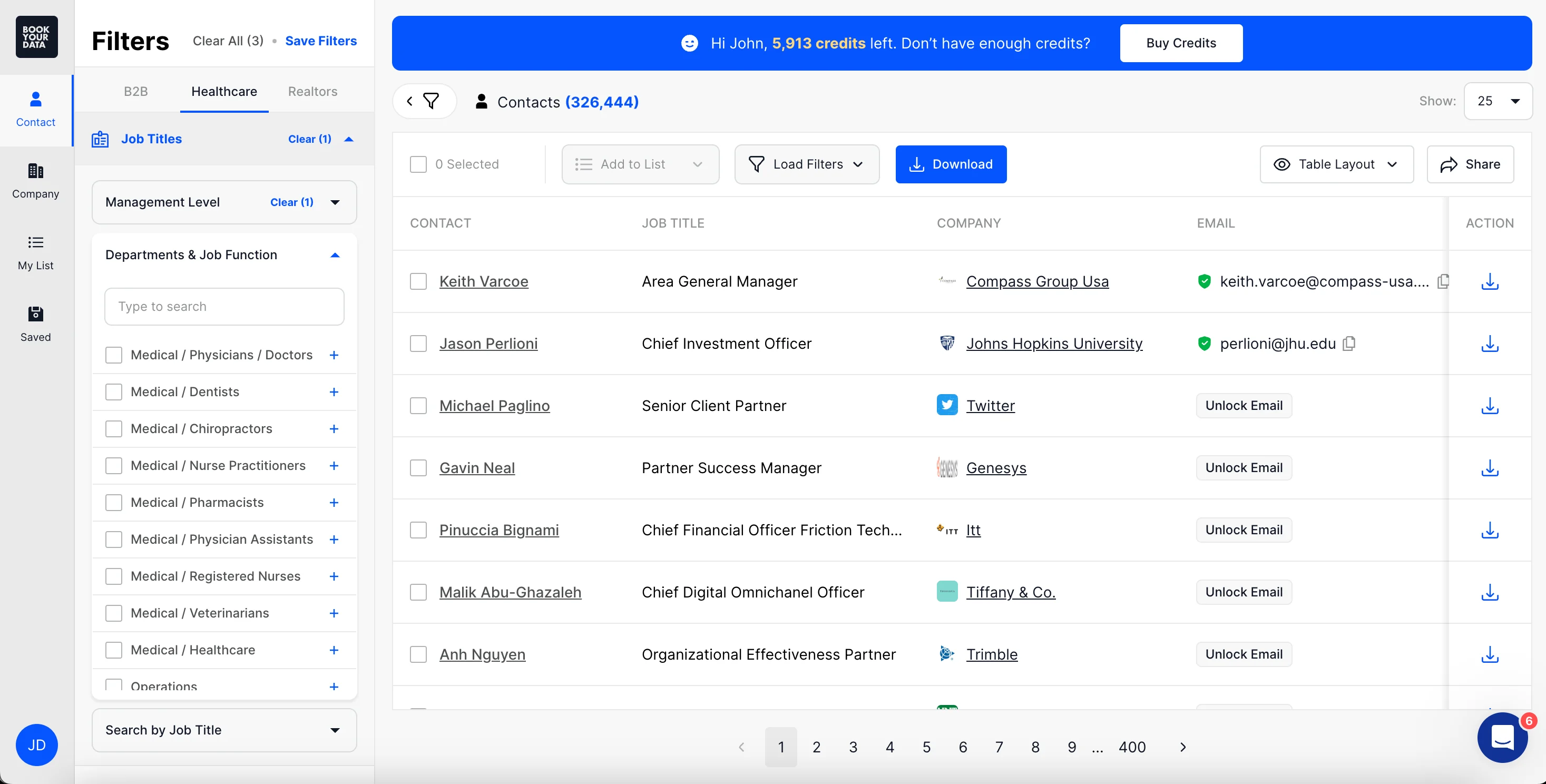
BookYourData: Best for buying bulk B2B email lists with pay-as-you-go pricing.
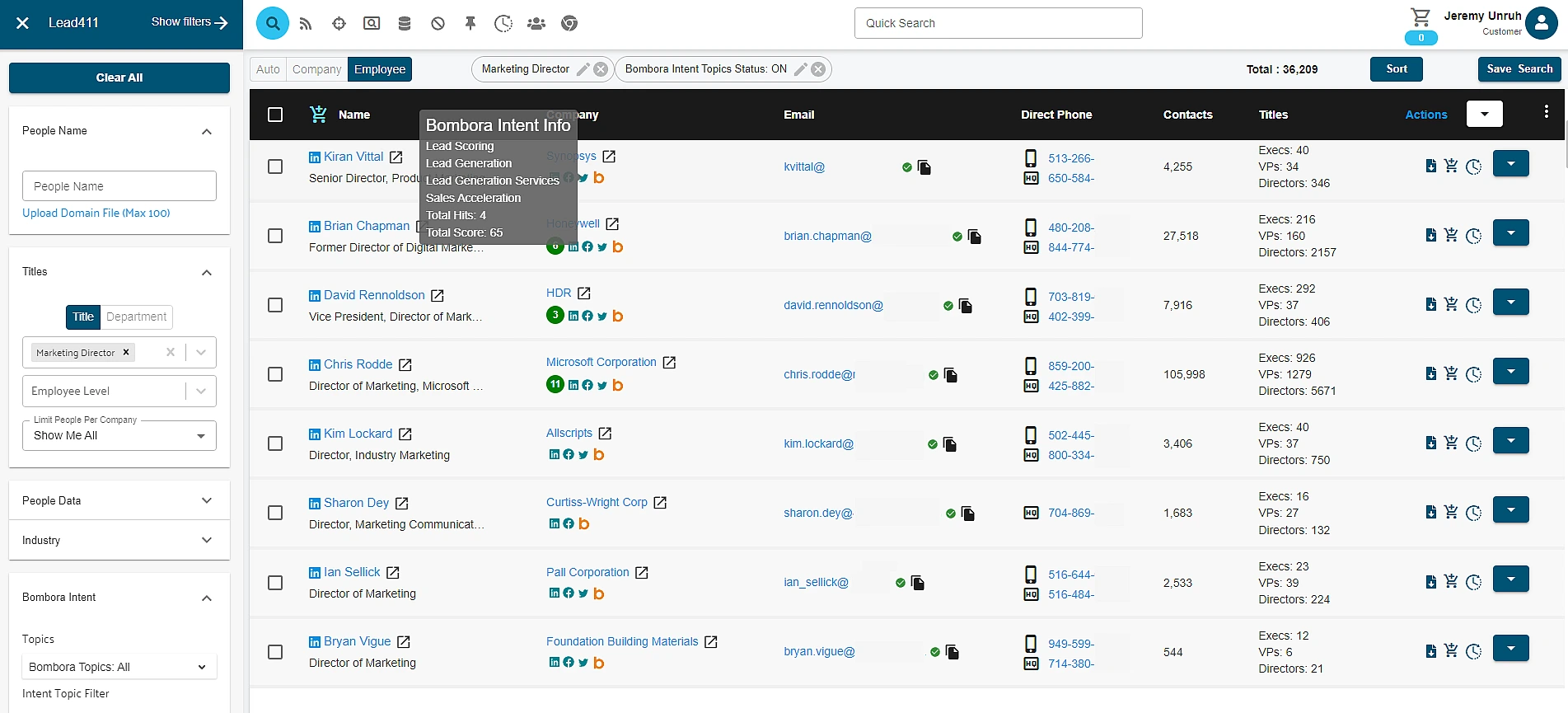
Lead411: Best for building targeted B2B contact lists with business emails, direct phone numbers, and buyer intent data.
Should You Buy an Email List in 2026?
Buying an email list can save time when you want to reach a specific B2B audience.
However, a purchased list does not automatically give you permission to contact everyone on it. Check the data source, email accuracy, and marketing laws before using it.
Buying an email list makes sense when:
You have a clear ideal customer profile (ICP).
The provider explains where its contact data comes from.
The email addresses are verified and up to date.
The contacts match your target industry, location, and company size.
Avoid buying an email list when:
The provider cannot explain its data sources.
The list contains outdated or irrelevant contacts.
You cannot verify the email addresses.
You have not checked the applicable email marketing laws.
Important: Check these regulations before sending cold emails
US: CAN-SPAM Act
Canada: CASL
European Union: GDPR and ePrivacy Directive
UK: UK GDPR and PECR
India: Digital Personal Data Protection (DPDP) Act, 2023
My recommendation: Start with a small and targeted list. Verify the contacts, check the applicable regulations, and test your outreach before purchasing more data.
A Quick Comparison of 9 Places to Buy Email Lists
Let's have a quick overview of each buy email list providers from the following table.
Nine B2B email list providers compared by audience, price, free option, search, verification, phone data, company data, integrations, and API access
I compared each provider across five factors to understand how well it works for B2B prospecting and cold email outreach:
Compliance and data sources: Does the provider explain where its contact data comes from and how it collects and processes personal information?
Pricing and credits: How much does it cost to access contacts? Are there free credits, flexible plans, or pay-as-you-go options?
Customer reviews: What do users say about data accuracy, ease of use, customer support, and overall experience?
Data accuracy and verification: Does the provider verify email addresses before export? How often does it update its database?
Features and integrations: Can you filter contacts by job title, industry, and company size? Does the platform connect with your CRM or cold email tools?
9 Best B2B Email List Providers to Consider in 2026
Let's now understand each of the email list providers in detail by knowing what it offers, its features, and pricing.
1. Leadsforge
G2 Rating: 4.7 out of 5 (25 reviews)
Best For: GTM teams, SDR teams, and agencies that want to build targeted B2B email lists from 500M+ contacts for cold email outreach.
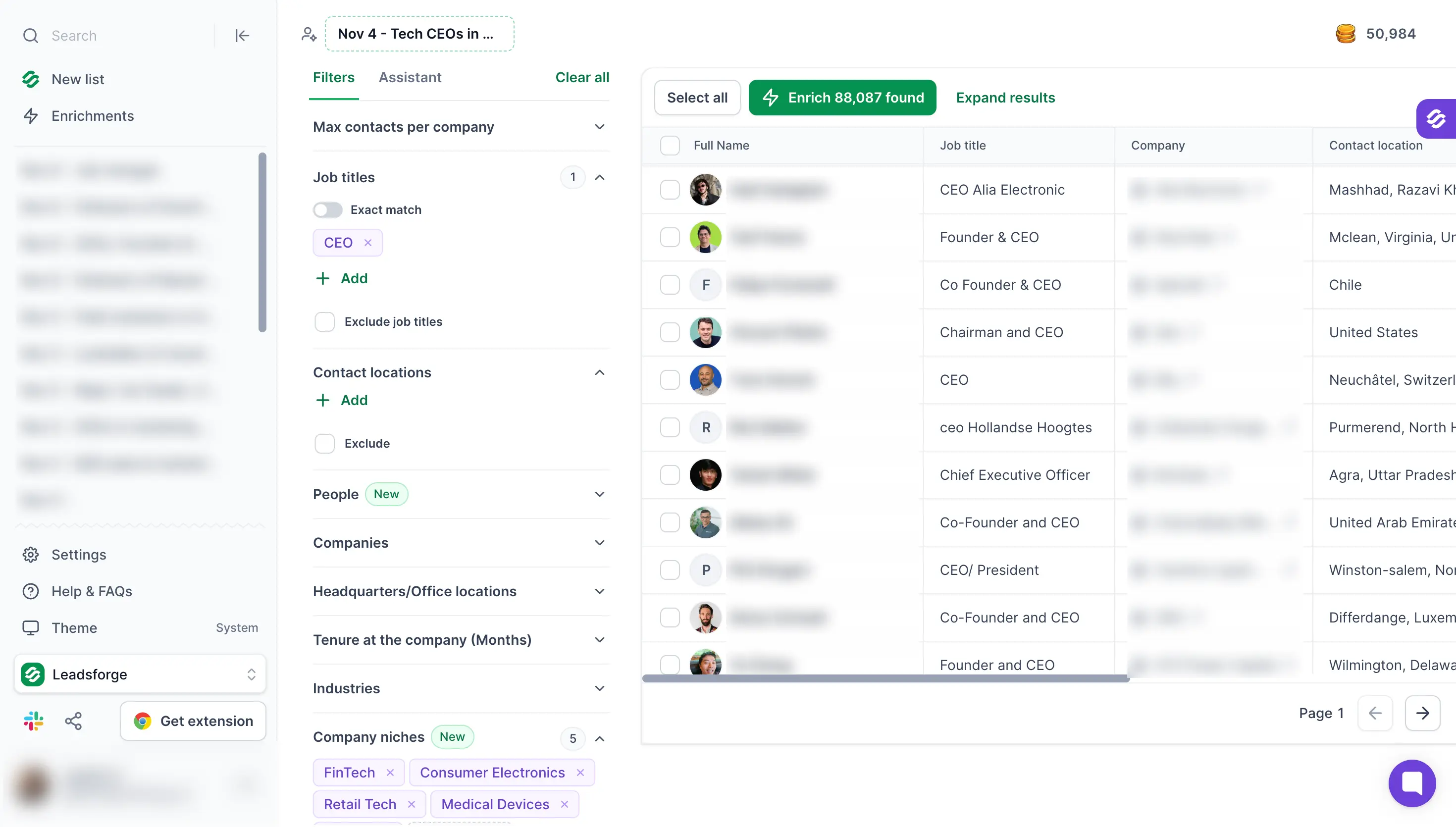
Leadsforge is an AI lead generation platform with a database of 500M+ B2B contacts. It helps me build email lists around my ideal customer profile instead of buying a ready-made file.
I can start a new list from an ideal customer profile, business signals, LinkedIn followers, local companies, or company lookalikes. I can also upload a CSV of companies or people and enrich it.
I can describe my buyer to the Assistant in plain English or apply filters such as job titles, industries and technologies. Matching contacts appear with their names, job titles and companies before I spend any credits.
A few features I find useful are:
AI Lead Search: Describe your ideal customer in plain English, and the Assistant applies the matching filters for you.
Buying Signals: Find people who recently changed jobs and companies that raised funding, got acquired, or are hiring.
Waterfall Enrichment: Get email addresses and phone numbers for your selected contacts by checking multiple data providers.
Leadsforge connects directly with Salesforge, and that saves me a step. I can send enriched lists to my cold email campaigns without exporting CSV files.
I can search and filter contacts for free, and Leadsforge only uses credits when I enrich them. Any credits I don't use stay in my account because they never expire.
If you're building your own prospect list, this guide to building a cold email list explains how to get started.
Key Features
Company Lookalikes: Find companies similar to your existing customers and build a list from them.
Local Business Search: Find businesses by type and distance from a location. Each result includes the address, phone number, website, rating and review count.
Advanced Company Filters: Narrow results by company niche, business model, revenue, funding rounds and technologies.
Max Contacts per Company: Limit how many people you add from each company so your list covers more accounts.
CSV Enrichment: Upload a CSV of companies or people and fill in missing contact details.
Chrome Extension: Find business email addresses on LinkedIn profiles. Each lookup uses Leadsforge credits.
API, MCP, and CLI: Access Leadsforge through its API, connect it with AI assistants such as Claude, or run searches from the command line.
Credit-Based Enrichment: Search, filter and preview contacts for free. An email costs 1 credit, while a mobile number costs 10 credits.
Leadsforge Pricing
Essential plan: The Essential plan costs $49 a month with monthly billing and includes 2,000 credits a month.
Essential plan with annual billing: The Essential plan costs $588 a year with annual billing and includes 28,000 credits at the start.
Larger credit volumes: The Leadsforge pricing page shows the price for each volume up to 200,000 credits a month.
Free trial: Leadsforge gives you 100 free credits at sign-up, and the credits do not expire.
Best For: Founders, startups, and small sales teams looking to build targeted B2B email lists.
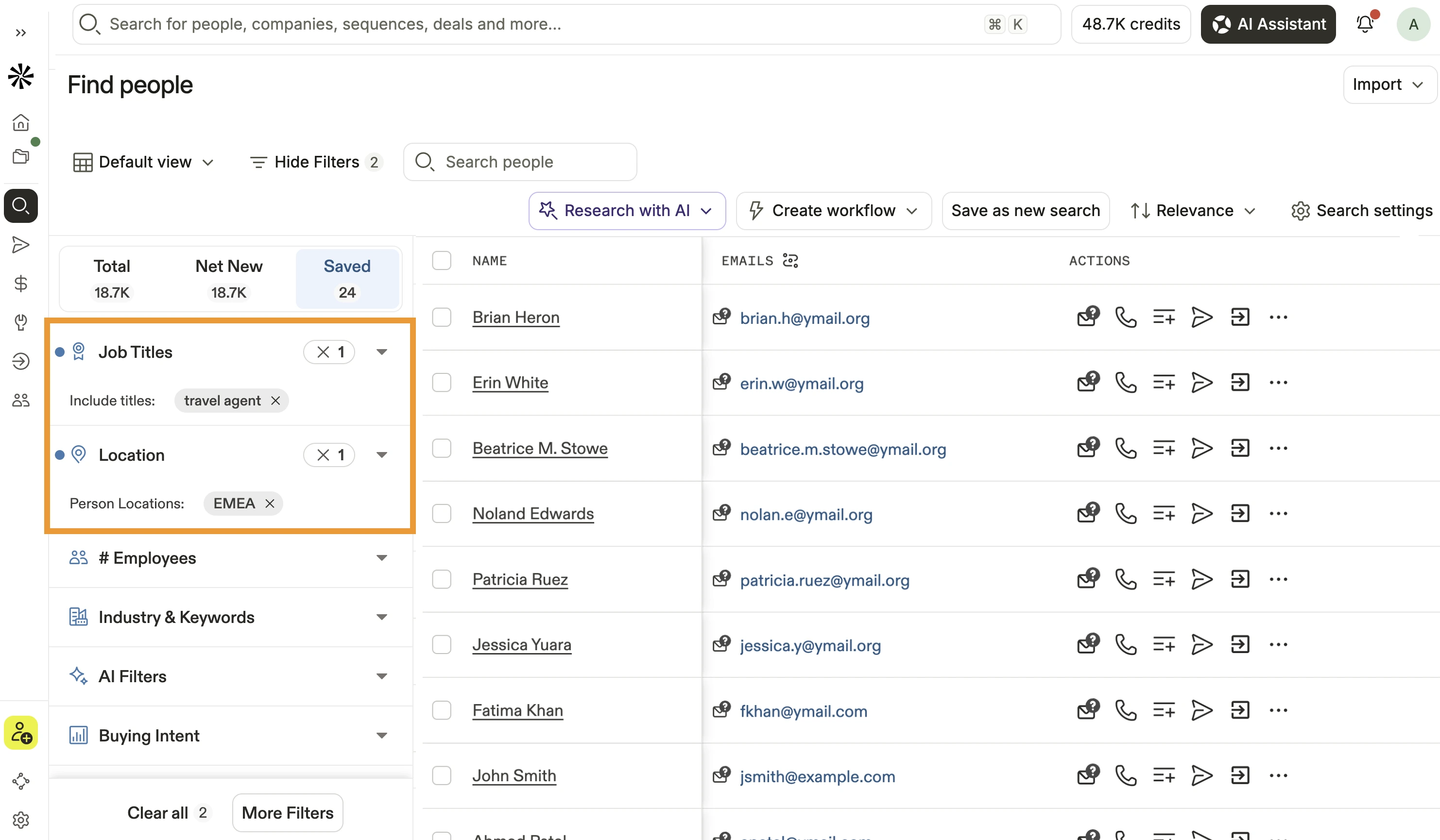
Apollo.io is a B2B contact database with built-in email sequences. It helps me find business email addresses and turn them into prospect lists in one app.
I can test the data on the Free plan with 900 credits per seat a year. Paid plans add more credits per seat.
A few features I find useful are:
Advanced Contact Filters: Find contacts based on job title, seniority, industry, and company size.
Email Verification Status: Check the status of email addresses before exporting them.
Bulk Contact Export: Select and export multiple contacts at once for cold email campaigns.
Apollo also lets me keep the contacts I've exported. If I only need the data for a few months, my lists stay with me after I cancel.
Key Features
Chrome Extension: Reveal emails and phone numbers while you browse LinkedIn profiles.
Data Enrichment: Fill in missing emails for a list you upload.
Email Sequences: Add contacts from your list to automated follow-up emails.
Buying Intent: Track which companies are researching topics you choose.
CRM Integrations: Sync your lists with Salesforce and HubSpot from Apollo's prospecting platform.
Apollo.io Pricing
Free plan: The Free plan costs $0 and includes 900 credits per seat each year.
Basic plan: The Basic plan costs $49 per seat a month with annual billing, or $65 with monthly billing.
Professional plan: The Professional plan costs $79 per seat a month with annual billing, or $99 with monthly billing.
Organization plan: The Organization plan costs $119 per seat a month with annual billing, or $149 with monthly billing. It needs at least three seats.
Free trial: You can test Apollo on the Free plan for as long as you want.
3. ZoomInfo
G2 Rating: 4.5 out of 5 (9.1K+ reviews)
Best For: Large and mid-market sales teams that need detailed B2B email lists with company data and buying intent.
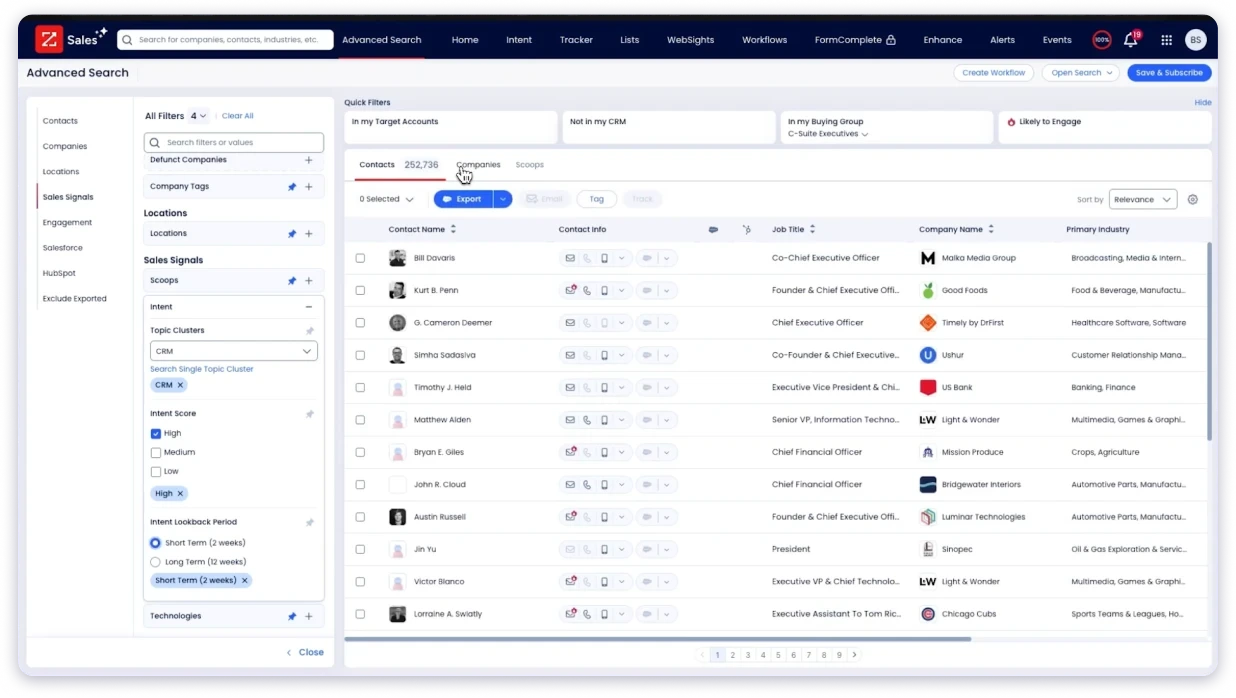
ZoomInfo is an enterprise B2B contact database with company data, org charts and buyer intent. It helps me build large prospect lists for many reps under one contract.
I can filter contacts by job title and company size to build a list. Its site says it has 500M+ contacts.
A few features I find useful are:
Intent Data: Find companies that are researching your type of product before you build the list.
Org Charts: Map the decision makers on a buying team and add several of them to your list.
Software Filters: Find companies by the software they already use, including a competitor's product.
ZoomInfo Lite is a free version of the platform. It gives me a way to check the data quality before I talk to the sales team.
Key Features
CRM Export: Export contacts straight into your CRM, with one credit per export.
Conversation Intelligence: Record and transcribe sales calls so reps can review them later.
Chrome Extension: View ZoomInfo contact details on LinkedIn profiles and company websites.
Website Visitor Tracking: Identify companies that visit your website.
CRM Enrichment: Fill in missing fields on the records already in your CRM.
ZoomInfo Pricing
ZoomInfo Lite plan: ZoomInfo Lite is free to use.
Paid packages: Paid packages have a custom quote. You can contact its sales team for the price.
Free trial: You can use ZoomInfo Lite for as long as you want.
4. Lusha
G2 Rating: 4.3 out of 5 (1.6K+ reviews)
Best For: SDRs who build email lists from LinkedIn and want a verified email or phone number for each profile.
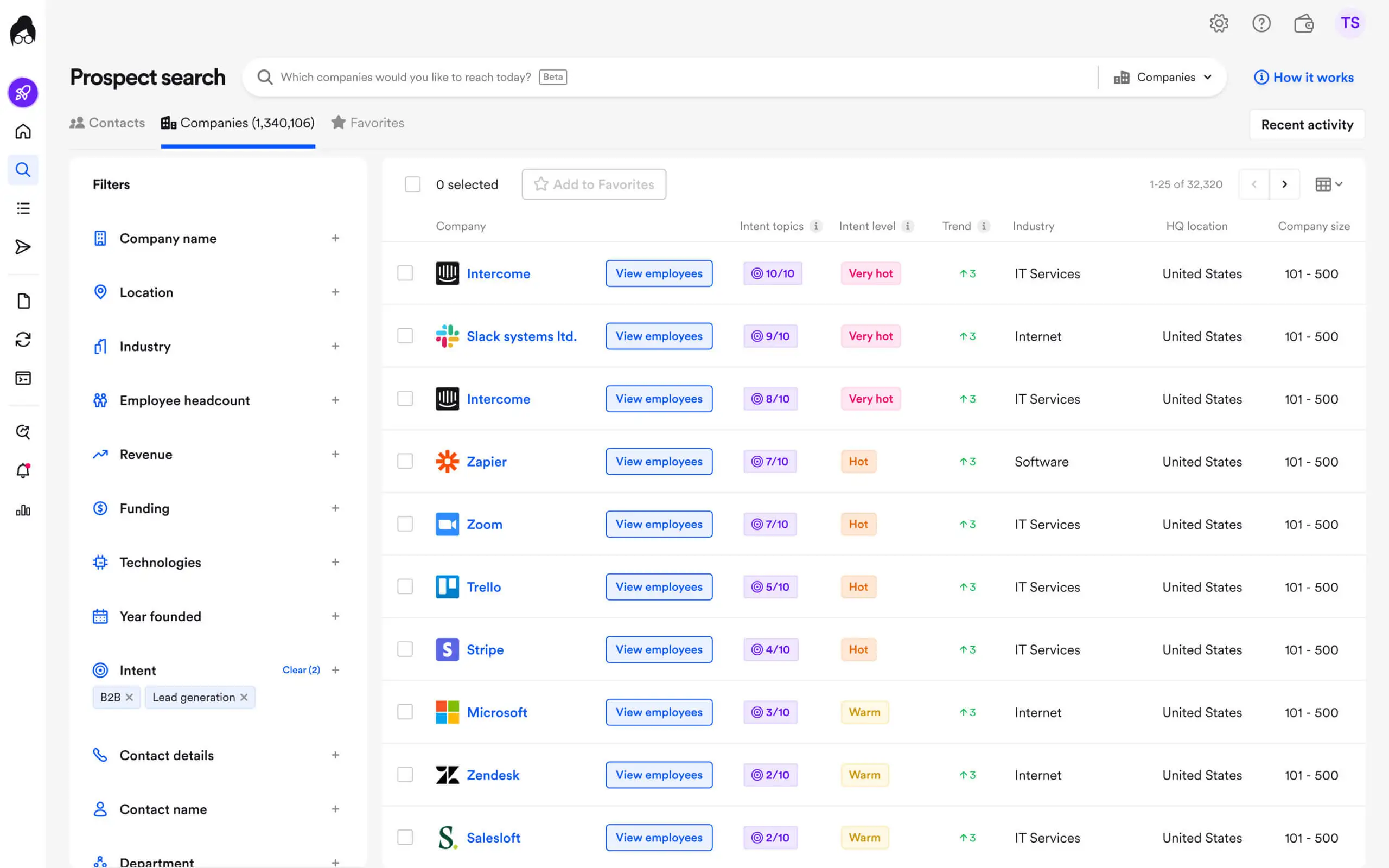
Lusha is a B2B contact tool with a Chrome extension for LinkedIn. It helps me find business email addresses and phone numbers while I prospect.
I can reveal one contact at a time or export search results in bulk. Each reveal includes a verified email or phone number.
A few features I find useful are:
Chrome Extension: Reveal the email and phone number on a LinkedIn profile with one click.
Prospecting Filters: Search Lusha's database by role, company and location.
CSV Export: Export search results to a file at 1 credit for every 25 results.
A big plus for me is the Free plan, which includes 40 credits every month. I can test a few contacts each week before I pay for a plan.
Key Features
Contact Lists: Save revealed contacts into lists inside Lusha.
Credit-Based Reveals: Spend 1 credit per email and 5 credits per phone number.
CRM Integrations: Connect Lusha with Salesforce and HubSpot to send revealed contacts to your CRM.
Bulk Enrichment: Upload a list and fill in missing emails and phone numbers.
Job Change Alerts: Get an alert when a saved contact moves to a new company.
Lusha Pricing
Free plan: The Free plan costs $0 and includes 40 credits a month.
Starter plan: The Starter plan costs $37.45 a month with annual billing, or $49.90 with monthly billing. It includes 400 credits a month and one seat.
Pro plan: The Pro plan costs $52.45 a month with annual billing, or $69.90 with monthly billing. It includes 600 credits a month and two seats.
Premium plan: The Premium plan costs $299.95 a month with annual billing, or $399.90 with monthly billing. It includes 3,400 credits a month and five seats.
Scale plan: The Scale plan has a custom quote. You can contact its sales team for the price.
Free trial: You can use the Free plan for as long as you want.
5. Seamless.ai
G2 Rating: 4.4 out of 5 (5.4K+ reviews)
Best For: Sales teams that want to build email lists from live searches and get credits back for invalid emails.
Seamless.AI is a real-time search engine for B2B contacts. It helps me find business emails and phone numbers at the moment I search.
I can search by job title or company and save the matches to a list. Its site says it has 1.6B+ verified business emails.
A few features I find useful are:
Automatic Credit Refunds: Get a credit back when an email fails Seamless.ai's check, with no claim to file.
Job Change Alerts: Keep your list up to date when a contact moves to a new company.
Chrome Extension: Save contacts from LinkedIn profiles while you browse.
The Free plan includes 50 credits, which is enough for a quick test. I can check how accurate the search results are before I book a demo.
Key Features
Unlimited Users: Give your whole team access on paid plans with unlimited users.
Buyer Intent: Add buyer intent data on paid plans.
Data Enrichment: Fill in missing emails and phone numbers for a list you upload.
AI Writer: Draft cold emails and call scripts for your contacts.
CRM Integrations: Send contacts to Salesforce, HubSpot and other CRMs.
Seamless.ai Pricing
Free plan: The Free plan costs $0 and includes 50 credits.
Paid plans: Paid plans have a custom quote after a demo. You can contact its sales team for the price.
Free trial: You can use the Free plan instead of a trial.
6. Cognism
G2 Rating: 4.5 out of 5 (1.3K+ reviews)
Best For: Sales teams that build email lists for the UK and Europe and want phone-verified mobile numbers.
Cognism is a B2B contact database focused on the UK and Europe. It helps me find business emails and phone-verified mobile numbers for email and calling campaigns.
I can build lists by role, company and region. Each package covers five seats, so my whole team can use the data.
A few features I find useful are:
Diamond Data®: Get mobile numbers that Cognism's team checks by phone before they reach your list.
Reusable Reveals: Use a revealed contact for the whole contract without spending another credit.
Do-Not-Call Screening: Check numbers against do-not-call lists in European markets.
Cognism's mobile numbers are checked by phone, and that makes a difference for my team. My reps spend less time on wrong numbers and more time talking to buyers.
Key Features
Intent Data: Spot companies that are researching topics related to your product.
Sales Triggers: Act on alerts for hiring, funding and other company events.
Chrome Extension: View Cognism contact details on LinkedIn profiles.
CRM Enrichment: Fill in missing fields on the records already in your CRM.
CRM Integrations: Send contacts and data to Salesforce and HubSpot.
Cognism Pricing
Standard package: The Standard package has a custom quote. You can contact its sales team for the price.
Pro package: The Pro package has a custom quote. You can contact its sales team for the price.
Free trial: Cognism does not list a free trial. You can book a demo with its sales team instead.
7. UpLead
G2 Rating: 4.7 out of 5 (820+ reviews)
Best For: Small sales teams that want to build B2B email lists with every email checked at the moment of reveal.
UpLead is a B2B contact database for small sales teams. It helps me build accurate email lists for targeted campaigns.
I can filter by job title, industry and company size. UpLead also lets me filter by the software a company uses.
A few features I find useful are:
Checks at Reveal: Get an email that was checked at the moment you revealed the contact.
95% Accuracy Guarantee: Get a credit back for an email that bounces.
Chrome Extension: Reveal contacts while you browse the web.
One credit can give me both an email and a mobile number. That means I can email and call the same contact without paying twice.
Key Features
CRM Integration: Send contacts straight to your CRM on the Essentials plan and above.
Buyer Intent: Get buying intent data and full API access on the Professional plan.
Search Filters: Narrow contacts with 50+ filters, such as job title and company size.
Data Enrichment: Fill in missing fields for an uploaded list on the Plus plan.
Email Verifier: Check a list of emails you already have.
UpLead Pricing
Essentials plan: The Essentials plan costs $74 a month with annual billing, or $99 with monthly billing. It includes 170 credits a month.
Plus plan: The Plus plan costs $149 a month with annual billing, or $199 with monthly billing. It includes 400 credits a month.
Professional plan: The Professional plan has a custom quote and comes as an annual subscription only. You can contact its sales team for the price.
Extra credits: Extra credits cost $0.60 each on the Essentials plan and $0.50 each on the Plus plan.
Free trial: A 7-day free trial with 5 credits is available.
8. BookYourData
G2 Rating: 4.9 out of 5 (360+ reviews)
Best For: Teams that buy B2B email lists a few times a year and want to pay per contact without a subscription.
BookYourData is a B2B email database with pay-as-you-go credits. It helps me buy contact lists without a monthly subscription.
I can filter by job title and management level. The filter screen shows how many contacts match before I spend credits.
A few features I find useful are:
Delivery Guarantee: Claim free credits when fewer than 97% of a list's emails get delivered.
Industry Datasets: Search separate data for B2B, healthcare and real estate.
BeSpoke Service: Order a custom list that BookYourData's team builds from your brief.
Credits never expire, which works well when I only buy lists now and then. I can buy a pack now and use what's left on my next campaign.
Key Features
Pay-As-You-Go Credits: Buy credit packs only when you need them, with one credit per contact.
Free Sample Credits: Test the data with 10 free credits before you buy.
Company Filters: Filter contacts by industry, company size and location.
Verification at Download: Get each email checked at the moment you download the list.
CSV and Excel Downloads: Download finished lists as CSV or Excel files for any sending tool.
BookYourData Pricing
Pay-as-you-go packs: Packs start at $99 for 250 credits and go up to $24,999 for 2,500,000 credits.
BeSpoke service: Custom lists start at $499 for 1,000 records.
Free trial: BookYourData does not offer a free trial. You get 10 free credits to test the data instead.
9. Lead411
G2 Rating: 4.5 out of 5 (480+ reviews)
Best For: Small sales teams that want to build email lists with verified emails, direct dials and buyer intent data.
Lead411 is a B2B contact database with verified emails, direct dials and sales triggers. It helps me build lists for both email and phone outreach.
I can filter contacts by job title and company. Each export includes both the email and the direct phone number.
A few features I find useful are:
Bombora Intent Data: See which companies are researching your type of product on the annual plans.
Chrome Extension: Save contacts from the pages you browse.
CRM Integrations: Send contacts straight into your CRM.
Another plus is that Lead411's CSV export works with any sending tool. I can upload a finished list straight into my cold email platform.
Key Features
Advanced Filters: Filter contacts before you export them to a CSV file or your CRM.
Sales Triggers: Track funding rounds, new hires and other growth events.
Email Outreach: Send emails to the contacts you export from Lead411.
API Access: Pull Lead411 data into your own tools with API access on the Ignite plan.
Unlimited Exports: Export without a monthly cap on the Blaze plan.
Lead411 Pricing
Spark plan: The Spark plan costs $49 a month with monthly billing and includes 1,000 exports a month.
Spark plan with annual billing: The Spark plan costs $490 a year with annual billing and includes 12,000 exports and intent data.
Ignite plan: The Ignite plan costs $150 a month with monthly billing, or $1,500 a year with annual billing. It adds API access.
Blaze plan: The Blaze plan has a custom quote and unlimited exports. You can contact its sales team for the price.
Free trial: The Pilot Light trial lasts 7 days and includes 50 exports.
How Much Does an Email List Cost?
The cost of an email list depends on the provider, number of contacts, and pricing model. Across the providers in this guide, prices range from around $0.025 to $0.60 per contact at entry-level pricing.
For example, Leadsforge starts at $49/month for 2,000 credits, while BookYourData starts at $99 for 250 credits.
Factors That Affect Email List Pricing
Number of contacts: Larger packages can offer a lower cost per contact. Compare the price per contact rather than the total package price.
Pricing model: Providers charge through monthly subscriptions, annual plans, credits, or pay-as-you-go packages.
Contact data: Work emails, direct phone numbers, and mobile numbers may have different credit costs. Leadsforge, for example, charges 1 credit for a work email and 10 credits for a mobile number.
Email verification: Check whether verification is included in the plan and whether the provider offers refunds or replacement credits for bounced emails.
Plan features: Features such as API access, data enrichment, and advanced prospecting filters may require higher-tier plans.
Before choosing a provider, compare the cost per contact, verification process, and included features. Use free credits or trial options to test data quality before paying.
Buying Lists vs. Building Your Own List
Here are the key differences between purchasing an email list and building your own:
Purchasing an email list compared with building your own list
Factor
Purchasing an Email List
Building Your Own List
Contact selection
Receive a list of contacts selected by the provider.
Choose contacts based on your target audience.
Targeting
Specify your requirements to the provider.
Filter contacts by job title, industry, location, and company size.
Data verification
Depends on the provider’s verification process.
Check whether the tool verifies email addresses before export.
Data freshness
Contact details may be outdated when you receive the list.
Search the database for contacts and check their details before export.
Flexibility
Request a new list when your requirements change.
Adjust your search filters whenever needed.
All nine tools in this guide help you build B2B contact lists. They differ in search options, data verification, and pricing.
This guide covers B2B business email lists, not consumer email lists such as household mailing lists or new movers lists from a consumer email database.
How to Choose a Place to Buy Email Lists
Work through these steps before your next cold outreach campaign:
Write down your ideal customer first, because a targeted list starts with clear filters.
Decide if you need a one-time file, ready-made industry lists or a database you search every month.
Confirm you can filter by employee count, company name or NAICS code.
Check which fields each record includes, like contact names and LinkedIn URLs.
Ask how often the seller refreshes its email data, because up-to-date data means fewer bounces.
Ask each seller what it does when an email bounces.
Check if you can keep using exported contacts after the subscription ends.
Ask for a free sample and check that the list matches your ideal customer profile.
Remove your current customers and open deals before you send anything.
Run a second verification pass on the day you send.
Send from a second domain with warmed mailboxes, and track bounce rates on the first send.
If you're looking to build targeted B2B email lists for regular outbound campaigns, Leadsforge is my recommendation.
Its AI search helps you find contacts that match your ideal customer profile, while waterfall enrichment checks multiple data providers to find their contact details.
You can also send your lists directly to Salesforge without exporting CSV files, making it easier to move from finding prospects to running cold email campaigns.
Yes, buying an email list is legal in the US if every email follows the CAN-SPAM Act, including opt-outs honored within 10 business days.
Canada's CASL law requires consent that a bought list cannot give you. This isn't legal advice, so check your own obligations.
2. Can I rent an email list instead of buying one?
Yes, some sellers rent lists. The seller sends your email for you, and you never see the email addresses.
You also cannot run your own follow-ups.
3. Can I send a bought list through Mailchimp or HubSpot?
No, Mailchimp and HubSpot do not allow purchased lists in their email marketing tools. Both expect opt-in contacts, so you need a cold email tool such as Salesforge.
4. How many mailboxes do I need to send 10,000 emails a month?
You need around 10 to 15 mailboxes to send 10,000 emails a month, based on 30 to 50 emails per mailbox per day.
Mailforge costs $2 to $3 per mailbox per month with annual billing. Infraforge adds dedicated IPs.
5. How do I protect my domain when I send to a bought list?
You protect your domain by checking the list on send day and using a second domain with warmed mailboxes. Google asks senders to keep their spam rate below 0.10% in Postmaster Tools.
Primeforge gives you Google Workspace and Microsoft 365 mailboxes that match your prospect's email provider. Warmforge warms up each mailbox, and it comes free for unlimited mailboxes on any Salesforge plan.