
Finding someone's email address sounds easy until you actually need to find the right one.
You search Google, check LinkedIn, and look for ways to find someone's business email address. But how do you know which method will give you accurate contact details?
This is also one of the problems I wanted to solve when building Leadsforge. Finding the right prospects and their business email addresses shouldn't require checking multiple sources separately.
Over the years, I've explored different ways to find and verify business email addresses. In this guide, I'll cover 11 methods, starting with the right email finder tools.
Here's what I'll cover:
This table compares the 11 methods by what each one needs, what it costs and how often it finds a working address.
Whichever method you use, verify every address before you send. AI assistants can invent addresses, so check every address an AI gives you too.
Hit rate shows how often a method finds a working email. If one method doesn't work, move to the next one.
If you're looking for someone's email address or the email addresses of your potential prospects, an email finder tool is the quickest option. These tools search large databases of business contacts and company data.
Good tools check their stored database first and then run real-time verification. That verification step separates a working email from a guess.
I use Leadsforge for this. In the AI Lead Finder, you run an AI search of 500M+ B2B contacts by describing your buyer in plain English.
Leadsforge then uses waterfall enrichment to check 20+ data providers until it finds a verified email. That finds more verified contacts than a single data source.
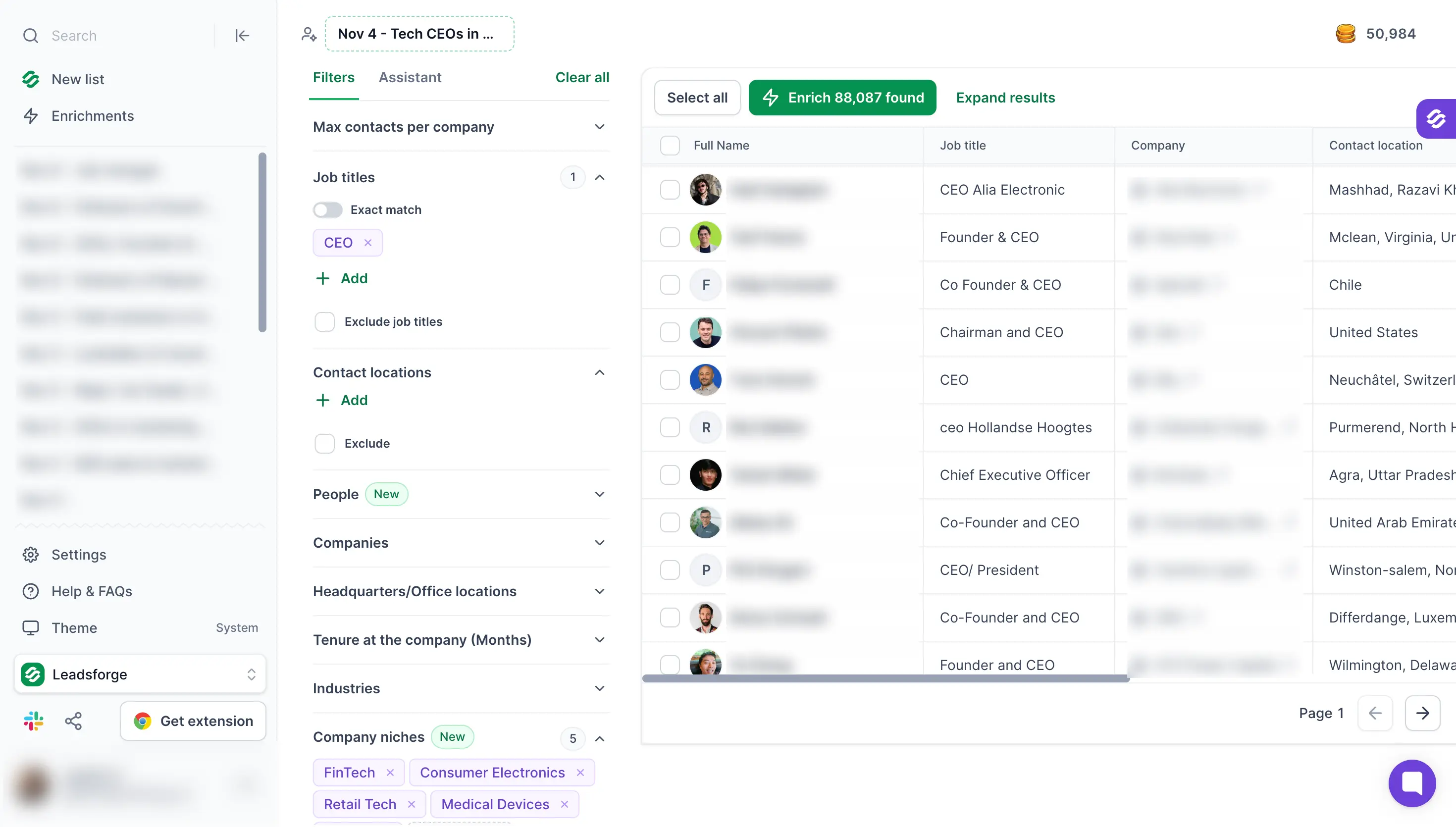
After the free credits, the Essential plan costs $49 per month with monthly billing and includes 2,000 credits. These prices come from the Leadsforge pricing page.
Here are five email finder tools worth considering, along with what each one offers and how many free credits you get to start.
Use the Chrome extension in method 2 when you need one or two emails and you are already on a LinkedIn profile.
If you have names and companies in Google Sheets or Excel, export them as a CSV. Then upload the file and run waterfall enrichment to add the emails.
Use the AI Lead Finder when you need a list of people by role, industry or location. It also works when you want to go from search to outreach without leaving the Forge stack.
If you want lookups inside your own systems, the Data Enrichment API works as an email finder API.
Other email search tools follow the same model. Before you pay for one, compare its data source and its verification step.
A reverse email lookup works in the opposite direction. You start with an email address and find the person behind it.
Output: A list of decision makers with verified emails, ready for outreach.
Sometimes the person you want is already on your screen. If you find prospects on LinkedIn, a Chrome extension finds the email without copying each name into another tool.
You open a LinkedIn profile or a LinkedIn search and click the extension. It then shows the email address it finds for each person.
The LinkedIn email & phone finder Chrome Extension works this way and finds verified email addresses. It connects to your Leadsforge account, searches a contact database of 500M+ B2B contacts and returns phone numbers too.
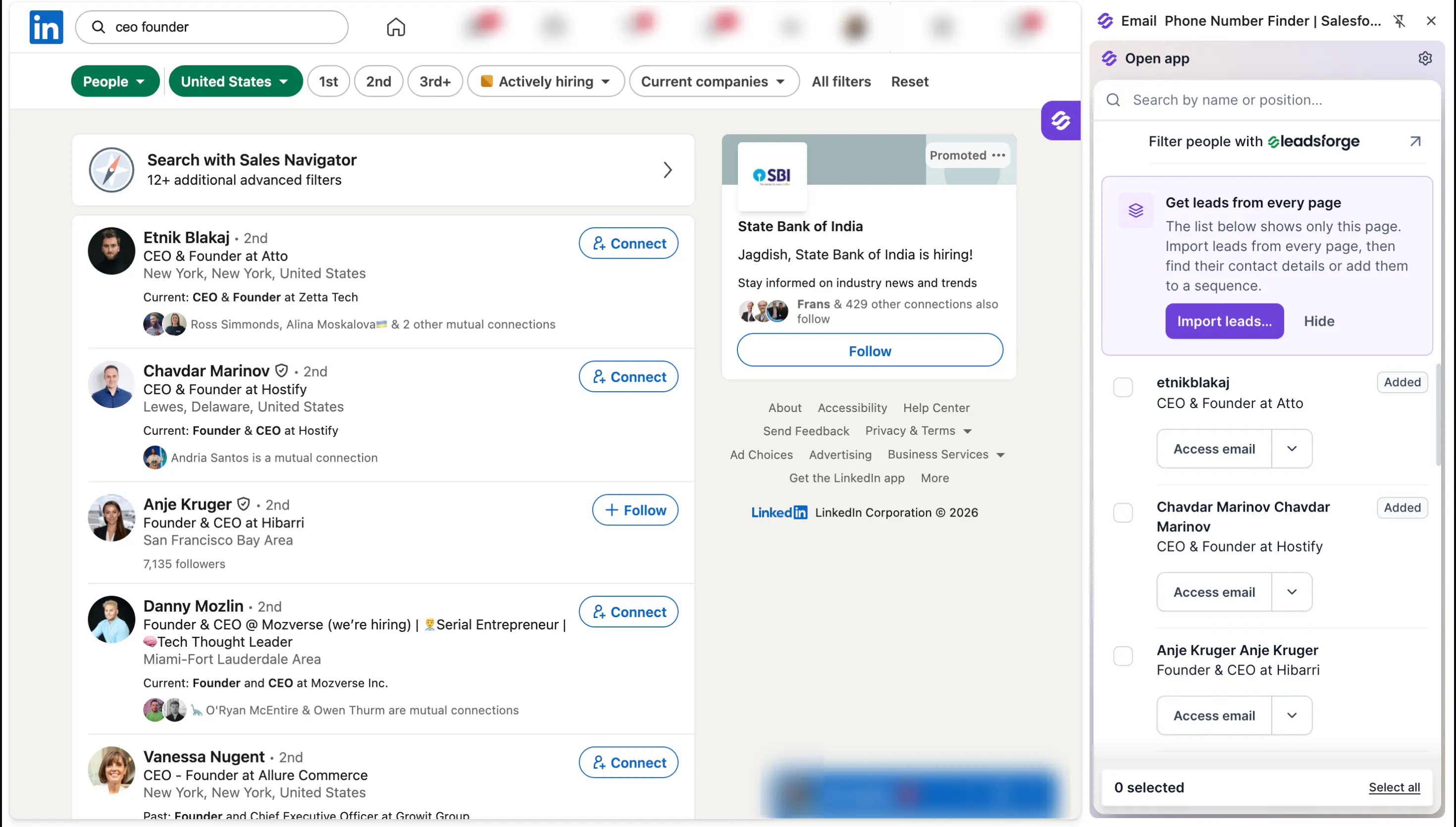
You can read this blog post on the LinkedIn email finder which explains how the process works.
The browser extension is free to install. New users get 100 free credits on signup, and each email lookup after that uses Leadsforge credits.
You can add the extension to Chrome here.
Kaspr and Skrapp.io offer LinkedIn extensions as well. Kaspr's pricing page lists a free plan, and Skrapp.io's site says its extension works with Sales Navigator.
Output: A verified email for the profile you're viewing, without leaving LinkedIn.
When the tools find nothing, the company's email pattern is your next step.
A company usually uses one email pattern for everyone. If you know the pattern, you can work out any address at that company.
Start by collecting two or three addresses from the same company domain. Methods 4 and 6 are the quickest places to find them.
Then compare the addresses and apply the same pattern to your person's name. An email permutator can list every pattern for you, but it only guesses.
Here are the common patterns for Jane Doe at acme.com:
Some names don't follow the pattern. Companies handle hyphenated surnames in different ways.
A second Jane Doe may get jane.doe2@ or janed@. A team from an acquired company may still use its old domain.
Once you have a guess, you can do a quick check before you verify it. Type the guessed address into a new Gmail or Outlook message and hover over it.
A profile picture or contact card usually means the account is active. A blank card proves nothing, so I use this check only to compare two guesses.
Next, run the address through email verification. It tells you whether the email exists before you send.
This matters because invalid emails raise your bounce rate, and a high bounce rate damages your sender reputation. A good verifier runs these checks:
Each address gets a verification status: valid, invalid, catch-all or unknown. I send to valid emails and remove invalid emails.
I send to catch-all addresses in small batches and stop if bounces appear.
You can check a single address with email verifier tool.
Do you already have a list of your potential prospects? Read this guide on data enrichment that explains how tools fill in missing contact data.
Output: A verified address built from the company's own email pattern.
Method 3 needs a few known addresses, and Google is a quick place to find them. Many work addresses appear on public pages, such as press releases and event pages.
Google can find them if you tell it exactly what to look for. Search operators are short commands that do this.
Replace the name and domain in these examples with your own:
Use quotation marks around exact phrases. Without them, Google changes your search.
Output: A published address, or the email pattern to use in method 3.
AI assistants can run that same web search for you and show you where they found each address.
They work best for people with a public presence, such as founders, speakers and authors. They work less well for junior roles with little online visibility.
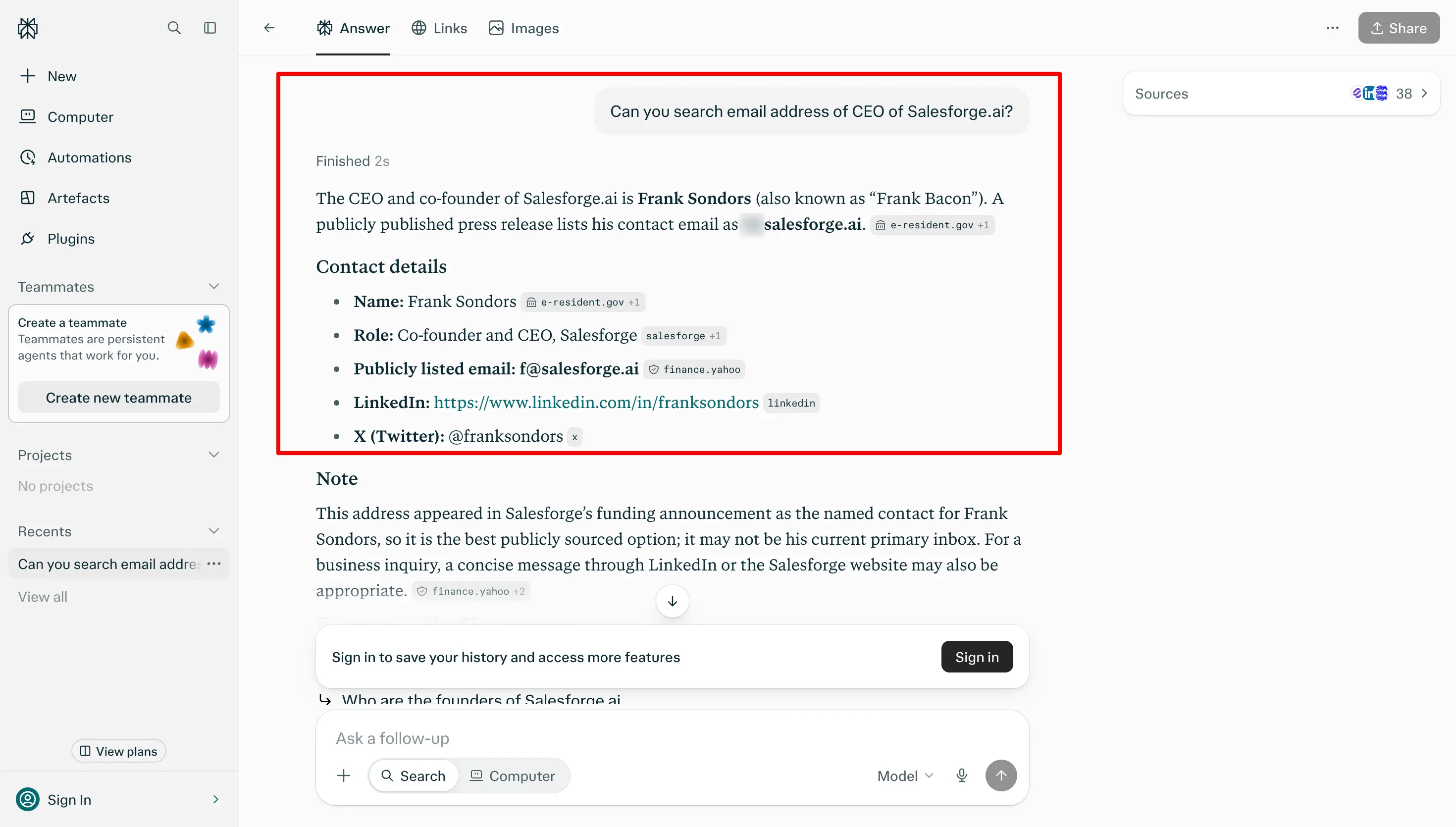
Here are the steps I follow:
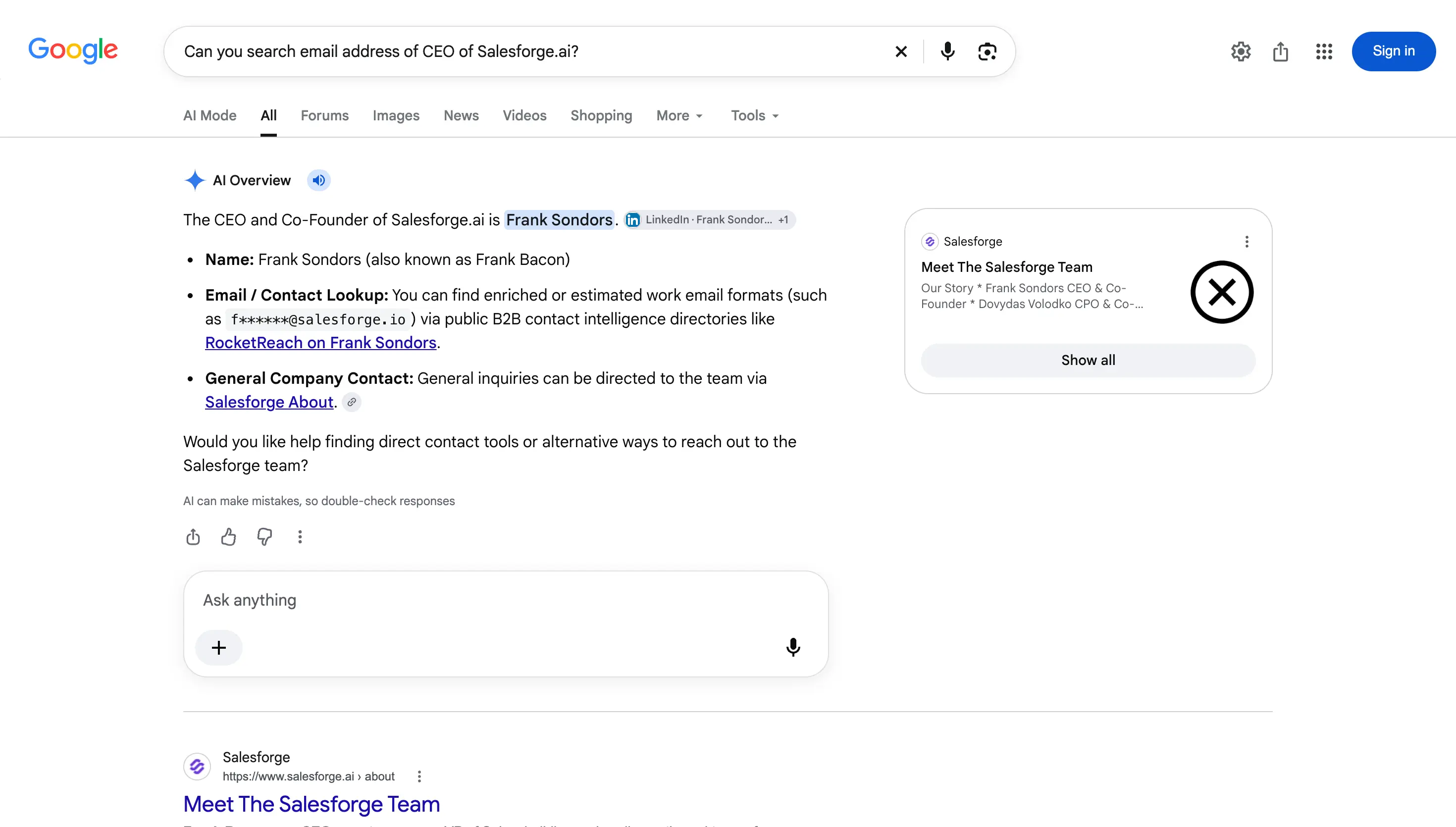
You can also try Google's AI Overview. Search "[Full Name] [Company] email address" and read the summary at the top of the results.
Treat that summary the same way as a chat answer, because it doesn't always confirm an address.
When I searched for Salesforge's CEO, Frank Bacon, it suggested two possible addresses on two different domains. It described both as common work email patterns, so neither one was a confirmed address.
For database results instead of open-web guesses, you can connect Leadsforge to Claude or Cursor through MCP. The assistant then searches the Leadsforge contact database, a verified data source.
Output: A few possible addresses with sources, each one verified before you use it.
If you know where your prospect works, check the company website before you pay for a tool. Many companies publish email addresses for their team, press contacts and recruiters.
These are the pages to check:
Larger companies often send all messages through contact forms. If you find only a form, look for a clue about the email pattern and move to method 3.
Output: A named contact or the company's email pattern, at no cost.
From here on, each method depends on what the person chose to share, so the hit rate drops. LinkedIn is the first place to check.
These are the parts of the profile to look at:
Many people leave the email field empty. That's why this method ranks lower.
Even then, the profile gives you the person's current company and job title. You can use both details in methods 1 and 2.
LinkedIn search and Sales Navigator help you find the right person. Neither one shows an email address unless the person shared it.
Output: An email the person shared, or their company and job title for methods 1 and 2.
People who publish their work often share their email address on purpose. I use this method for developers, researchers, authors and conference speakers.
Output: An address the person published next to their own work.
This method depends on the person wanting emails from strangers, so the hit rate is low. Founders, creators and consultants are the exception.
Their social profiles and other sites they run often show how to reach them.
Output: An address the person chose to share for people who want to reach them.
Your own inbox can also hold the answer. If your person runs a newsletter, you can subscribe to it.
At smaller companies, the welcome email often comes from the founder's own address, and your reply reaches them directly.
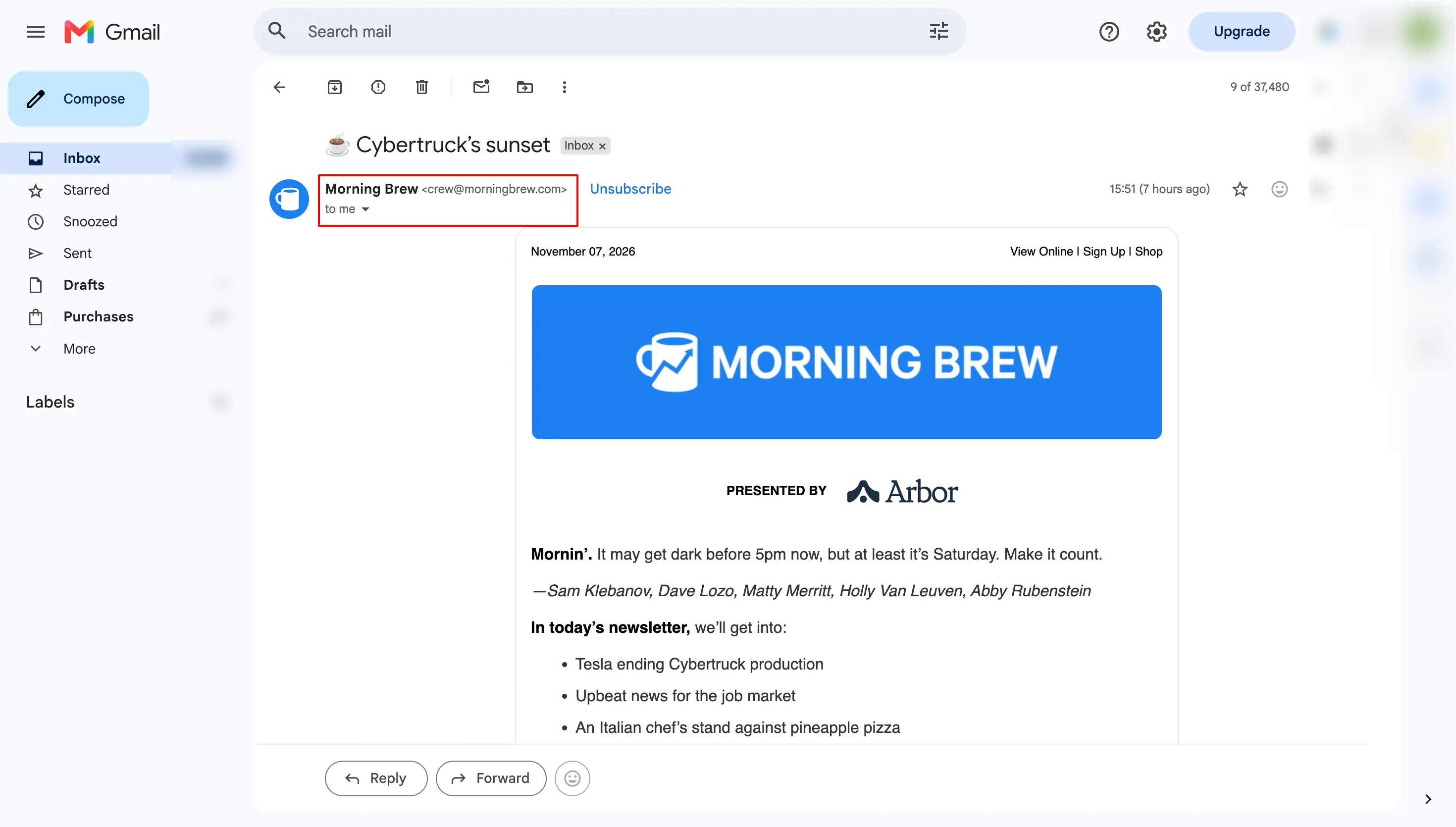
Email signatures work the same way.
If anyone at the company has emailed you before, search your inbox for the company domain. Their signature shows the email pattern and sometimes a direct contact for your person.
Output: A direct address or the company's email pattern, taken from emails you already have.
When the other 10 methods find nothing, you can ask for the address. It takes longer, but an introduction from someone your prospect knows makes your first email easier to answer than a cold email.
You can ask in three ways:
For the general inbox, a short note like this works:
Hi, I'd like to send Jane Doe a short note about [topic]. Could you share the best email address for her or forward this message to her? Thank you for your help.
If you still can't find the address, contact another person on the same team. They can forward your email to the right colleague.
Output: An introduction or a confirmed address from someone who knows your prospect.
The best method depends on what you already know about your prospect. Here is where I would start in each case:
After that, think about volume. Sales teams that need more than a few contacts should start with method 1 and keep the manual research as a backup.
If you need one address and have some time, the manual methods cost nothing.
Whichever method you use, verify the address before you send. A wrong address from a good method will still bounce.
This guide on how to build a cold email list explains the steps between finding emails and sending.
These 11 methods work as a chain. Email finder tools give you speed and scale.
When they miss, the email pattern, Google and AI fill the gap. The manual methods cover people who share their own contact details.
For one person, I start with the free methods and verify what I find. For a whole list, I use a B2B email finder tool because it gives me names and verified emails in one search.
Whichever method you use, verify every address before you send. Then send from a separate domain so a few bounces don't hurt your main company domain.
Start with 100 free Leadsforge credits. Sign up here and describe your buyer in one sentence to run your first search.
The quickest way is to enter the person's full name and company domain into a B2B email finder tool. If the tool finds nothing, you can work out the company's email pattern and check Google, the company website and LinkedIn.
Verify any address you find before you send.
Start by finding the person's company, because a name alone is hard to search. Search the name in quotes on Google or LinkedIn and add a detail you know, such as their job title or city.
Once you know the company, you can find an email by name with an email finder or the company's email pattern.
Finding an email account by name is harder for personal addresses. You usually need a page where the person shared it.
Yes, several email finders have free plans or free credits. If you want an email finder, free options include Hunter's Free plan with 50 credits a month (November 2026).
Mailmeteor also offers a free email finder on its site. New Leadsforge accounts get 100 free credits, and each email address costs 1 credit.
The manual methods in this guide, such as Google operators and the email pattern, are free too.
Yes, B2B outreach to work addresses is usually legal if you follow the email laws in your prospect's country. In the US, CAN-SPAM requires you to identify yourself, include a physical address and honor opt-outs.
In the EU and UK, outreach to a work address usually relies on legitimate interest as its legal basis. This means your message must relate to the person's job, and you must still honor opt-outs.
Canada's CASL is stricter and asks for express consent or implied consent. This isn't legal advice, so check the rules in each market you sell to.
Run each address through an email verifier. A good verifier checks the syntax and the MX records.
It then uses SMTP verification to test whether each mailbox exists. It also marks catch-all domains, disposable addresses and spam traps as risky.
If a result says catch-all, send to it in small batches and stop if bounces appear. You can check a single address with this free email verifier tool.
Usually you can't, and it rarely helps with business outreach. Personal Gmail addresses don't follow a company pattern, so you have no pattern to work out.
If someone publishes a personal address on their own site, they chose to share it. For sales outreach, I stick to professional email addresses on a company domain.